Logo Logo

With PayTR NeoPOS, your smartphone turns into a POS device

If you are a simple taxpayer, you can receive contactless payments instantly with your smartphone or tablet with NFC-enabled Android Operating System, just like receiving payments from your POS device.

Apply for NeoPOS Now!
Savings on device fees, maintenance costs and paper costs
All domestic and foreign contactless cards are accepted
Multiple android devices become POS devices at the same time

PayTR NeoPOS

With PayTR NeoPOS, you can instantly turn your smartphone into a POS device and receive your payments quickly and securely.

Turn Your Android Device into a POS Device

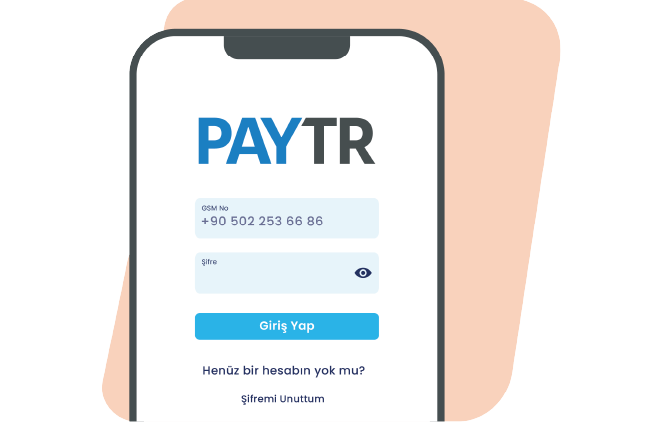
By clicking on the ‘Receive Mobile Payment’ feature in the application, you can instantly start using your device as a POS device and receive your payments contactless and quickly.

POS Devices at the Same Time

By instantly converting multiple Android devices into POS devices, you can receive your payments in a short time without making your customers wait in line.

Save Space and Cost

With NeoPOS, your tablets or phones that you turn into POS devices do not take up space like a traditional POS device and at the same time do not require traditional POS device maintenance costs.

Güvenli Öde Görsel

Application Process .

With NeoPOS, you can instantly turn your mobile phone into a POS device and start receiving payments.

1 Fill Out the Application Form

Your pre-application is received by filling in the fields specified in the application form and clicking the “Complete Application” button.

2 Upload Your Documents

Complete your membership process by uploading your documents online quickly via the link we send via e-mail.

3 Download the App

Download PayTR Store and NeoPOS Plugin application from Google Play Store. Start receiving your payments with the 'Receive Payment' feature in the application.

PayTR NeoPOS Advantages

When you start receiving payments with PayTR NeoPOS, you will have many different advantages.

Smart Catch

When the payment transfer bounces back from the bank for any reason, Smart Catch automatically captures and reports this payment.

UniSupport

Every PayTR merchant can access 24/7 technical and operational support through the PayTR Merchant Panel.

Fraudar

Our anti-fraud infrastructure, which has a 99.8% transaction success rate, monitors all transactions instantly and always protects you against fraud risks by canceling the transaction in case of a possible fraud.

User Friendly Checkout Page

Boost conversions with a seamless, mobile-first payment page that’s fully customizable to your brand and ready out of the box.

Frequently Asked Questions.

PayTR sets the most favorable commission rates tailored to you based on your business model and monthly revenue.

There is no fixed monthly fee to use NeoPOS. Commission is only charged on transactions you process. This means no costs during inactive periods, making it an ideal solution for small businesses.

To apply for NeoPOS, go to www.paytr.com and fill out the online application form in the "Apply" section. The form asks for your business and contact details. Our team reviews your application quickly and gets back to you.

Just fill out the online application form in the “Apply” section at www.paytr.com. Our team will review your application as quickly as possible. With NeoPOS — a payment solution that requires no integration — download the PayTR Mağaza and NeoPOS Plugin apps from the Google Play Store to your NFC-enabled Android smartphone or tablet, tap the ‘Accept Payment’ feature inside the app, and start using your device as a POS instantly.

Businesses of any size and industry can use PayTR NeoPOS. With contactless payment support, NeoPOS can be used by any business that needs a POS, has an NFC-enabled Android mobile device, and is not required to use a cash register. With its multi-device feature, every employee can turn their Android device into a POS to accept payments without delay.

NeoPOS can only be used on NFC-enabled Android smartphones and tablets. Your device must run Android and have NFC (Near Field Communication) enabled. With these capabilities, your device can accept contactless payments.

NeoPOS setup is fast and simple. After downloading the PayTR Mağaza app and NeoPOS plugin from the Google Play Store, setup is completed within a few minutes. Sign into the app and start accepting payments right away — no technical knowledge required.

To download the NeoPOS app, open the Google Play Store on your Android device and search for the "PayTR Mağaza" app. After downloading the app, activate the NeoPOS plugin within it. The download is free and can be done anywhere with an internet connection.

Yes, NeoPOS can be used on multiple devices simultaneously. With its multi-device feature, you can turn every employee's Android device into a POS. This is especially useful during busy periods, improving customer satisfaction and minimizing wait times.

With a single app, you can start accepting one-time payments from all domestic and international debit and credit cards. With the multi-device feature, every employee can turn their Android device into a POS so you receive payments without delay.

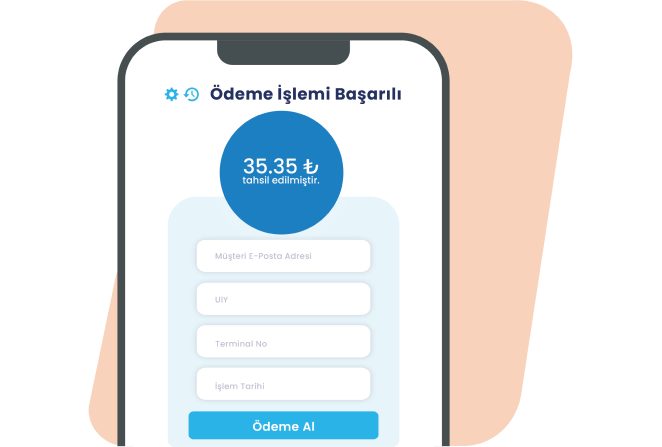
To accept a contactless payment with NeoPOS, tap the "Accept Payment" button in the app and enter the amount. Ask your customer to hold their card near your device. Thanks to NFC, the payment is processed without the card touching the device. Once complete, a confirmation message is shown to both you and the customer.

With NeoPOS, you can accept payments anywhere with an internet connection. Mobile data or Wi-Fi is enough. This lets you easily accept payments outside the store, at trade shows, during home services, or during delivery — giving your business mobility.

Yes, door-step payment is possible with NeoPOS. Couriers or delivery personnel can securely accept card payments at the customer's door using the NeoPOS app on their Android device. This is a major convenience for e-commerce businesses and delivery companies.

With NeoPOS, you can accept payments from all domestic and international debit cards, credit cards, and prepaid cards. Visa, Mastercard, American Express, and Troy cards are supported. With a single app, you can process transactions from different bank cards and offer your customers a wide range of payment options.

NeoPOS currently supports one-time payments only. Installment payments are not available. However, your customers can still use their own credit card installment features to split payments under their agreements with their bank.

Contactless payment limits with NeoPOS follow the standard limits set by banks. Transactions over 2500 TL typically require PIN entry. For high-value transactions, customers may be asked to touch their card to the device and enter their PIN. These limits exist for security reasons.

Secure Payment Infrastructure As a payment institution licensed by the Central Bank of the Republic of Turkey, our high-security payment infrastructure delivers a sustainable payment experience. All your payments are protected 24/7 with PayTR. - PCI-DSS certification
- SSL-certified payment pages
- 3D Secure
- 3DS verification for risky payments
- Tier III Data Center
- Disaster Recovery Center (Active/Passive)
- Redundant hardware, access, and system infrastructure

NeoPOS is a payment solution that requires no integration. After signing up, download the PayTR Mağaza app and the NeoPOS plugin from the Google Play Store to your NFC-enabled Android smartphone or tablet. Tap the ‘Accept Payment’ button inside the app and start using your device as a POS instantly.

Your NFC-enabled Android phone turns into a professional POS device with the PayTR Mağaza app and NeoPOS plugin. When you activate the "Accept Payment" feature in the app, your phone gains contactless card reading capability and starts working like a traditional POS device.

Yes, your device must have NFC (Near Field Communication) to use NeoPOS. NFC is the core technology required to accept contactless payments. You need to make sure NFC is enabled in your device settings.

No, NeoPOS is currently only available on Android devices. The NeoPOS app is not available on iPhone or other iOS devices. To accept contactless payments, you need an NFC-enabled Android smartphone or tablet.