Start receiving payments easily, quickly, and securely with Payment Links.
You can also receive instant payments via the link you generate with Payment Links, even without having a website.


Start receiving payments easily, quickly, and securely with Payment Links.
You can also receive instant payments via the link you generate with Payment Links, even without having a website.
 Payments are received at once or in parts with a single link
 No Currency Conversion Losses for Payments in Different Currencies
 Prepaid cards and alternative payment channels are accepted
Make your application, upload the documents, create your link even without a website and start receiving your payments.
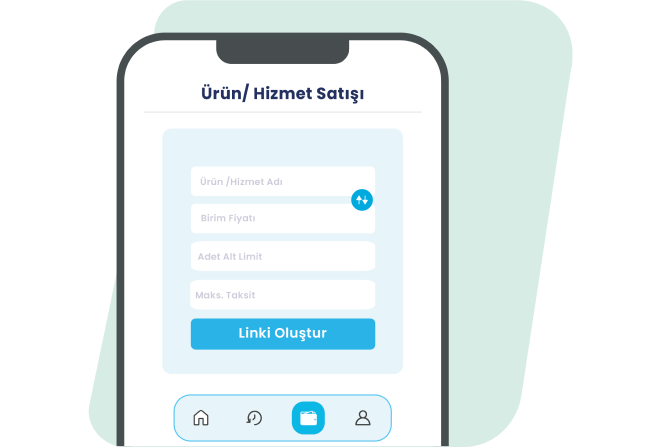
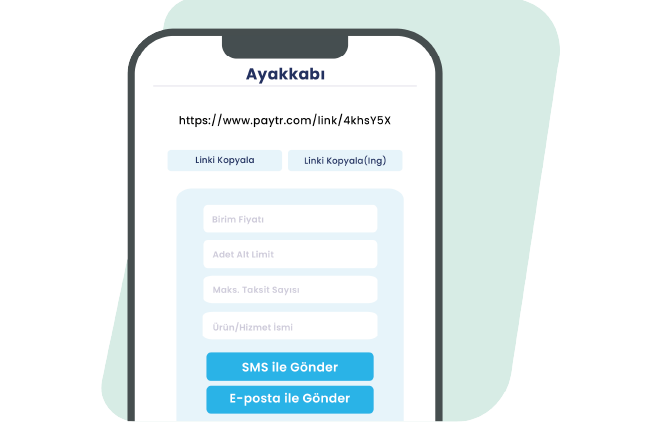
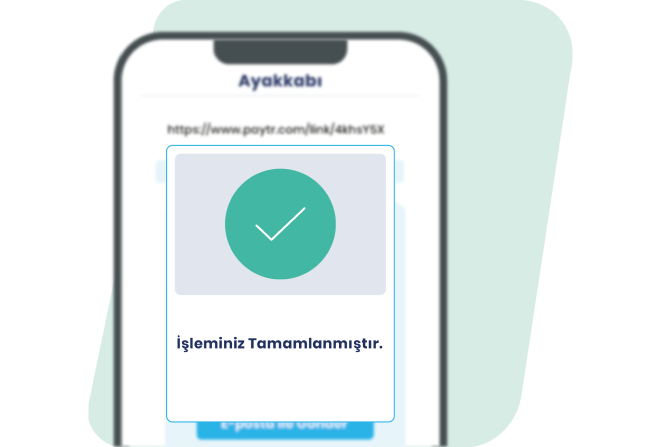
All of our merchants with a Virtual POS can benefit from PayTR Payment Links, and businesses without a Virtual POS can also benefit from the Payment Links service.
Your pre-application is received by filling in the fields specified in the application form and clicking the “Complete Application” button.
Complete your membership process by uploading your documents online quickly by clicking on the link we send via e-mail.
Create your link from the Payment Links page in the merchant panel and start receiving payments immediately.
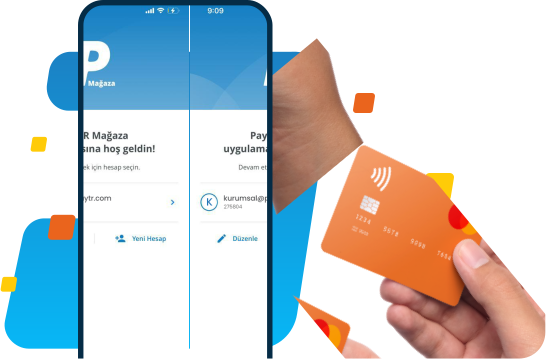

Secure Payment Infrastructure
With our secure payment infrastructure, we provide you with a sustainable payment experience.

UniSupport
Every PayTR merchant can access 24/7 technical and operational support through the PayTR Merchant Panel.

Returner
During the refund process, payments that are returned due to bank or account-related problems are automatically captured and the customer who wants to receive a refund is notified.

Smart Switch
Bank POSs are monitored instantly and in the event of an outage, the system automatically redirects the payment flow to different bank POSs.

Smart Secure
PayTR's smart infrastructure monitors customer habits, and if it decides that the transaction should be Non-3D, it terminates the transaction without redirecting to the 3D Secure stage and prevents possible losses.

Smart Catch
When the payment transfer bounces back from the bank for any reason, Smart Catch automatically captures and reports this payment.
Different Currencies
Receive payments from your website sales without any loss from currency conversion.

Alternative Payment Solutions
In addition to receiving single-shot and installment payments by credit card, you can receive your payments with debit cards, prepaid cards and PayTR's alternative payment channels.

User Friendly Checkout Page
Boost conversions with a seamless, mobile-first payment page that’s fully customizable to your brand and ready out of the box.

Fraudar
Our anti-fraud infrastructure, which has a 99.8% transaction success rate, monitors all transactions instantly and always protects you against fraud risks by canceling the transaction in case of a possible fraud.

Payment with Single Integration
You can receive payments from all domestic and foreign card families with a single integration.
All the payment channels you need, in one place!
Pay by Link refers to dedicated payment links created for businesses to accept online payments from their customers. This system enables even businesses without a website to easily receive digital payments. Customers can pay securely with their credit card by clicking the link sent to them. This PayTR service is a practical solution, especially for small businesses and individual sellers.
After logging into your PayTR merchant panel, you can create a new payment link from the "Pay by Link" section. Once you enter the product details, price, and customer information, the system automatically generates a secure payment link. You can share this link with your customer via WhatsApp, email, SMS, or social media. When the customer clicks the link, they are directed to a secure payment page where they can complete the payment with their card.
No, a website is not required to accept Pay by Link payments. PayTR Pay by Link was built so that businesses without a website can also accept online payments. You only need access to the PayTR merchant panel. This feature allows individuals selling via social media, freelancers, or those making occasional sales to use a professional payment infrastructure.
Click the "Pay by Link" tab in the PayTR merchant panel to access the new link creation page. Enter the product name, description, price, and customer email address. You can also add the customer's phone number optionally. Once all details are entered, click "Create Link" to generate your unique payment link and share it with your customer. Created links are listed in the panel and their status can be tracked.
Payment links created in PayTR are valid for 30 days by default. The customer can click the link and complete the payment any time within this period. If payment is made before the link expires, it is automatically deactivated. If the link expires without payment, you can create a new one with the same details. Shorter validity periods can also be set for urgent cases.
Yes, you can combine multiple products into a single link in PayTR Pay by Link. The cart feature lets you bundle different products and quantities into one payment link. This is especially convenient for businesses making bulk sales. Customers can pay for all products at once, and you receive the full collection in a single transaction.
PayTR Pay by Link serves a wide user base. Individual sellers on social media, freelancers, consultants, instructors, small businesses, and service providers can all benefit from this system. It is an ideal solution, especially for users without technical knowledge. Anyone who wants to accept digital payments without setting up an e-commerce platform can use this service.
Just fill out the online application form in the “Apply” section at www.paytr.com. After signing up, with no integration required, you can use the Pay by Link service from the "Pay by Link" page — log into the PayTR merchant panel from your computer, phone, or tablet using your custom credentials, or download the PayTR merchant app from the App Store or Google Play.
All our merchants with a Virtual POS can use PayTR Pay by Link, and businesses without a Virtual POS can also apply to PayTR to access the Pay by Link service.
Payments are accepted from American Express, VISA, and MasterCard credit and debit cards, as well as UnionPay, Troy, BKM Express, and Tosla cards. You can set the amount to collect, the payment currency, the number of installments for TL transactions with domestic cards, and installment/maturity settings to fit your needs. For customers paying in foreign currency, you can create and share a link with an English language option.
PayTR Pay by Link commission rates are determined by the merchant's agreement terms and transaction volume. Commission rates are kept competitive to protect business profitability. For detailed commission information, contact PayTR customer service or view current rates in your merchant panel. More favorable rates are possible based on your monthly transaction volume.
Payments are accepted from American Express, VISA, and MasterCard credit and debit cards, as well as UnionPay, Troy, BKM Express, and Tosla cards. You can set the amount to collect, the payment currency, the number of installments for TL transactions with domestic cards, and installment/maturity settings to fit your needs. For customers paying in foreign currency, you can create and share a link with an English language option.
Collections through PayTR Pay by Link are typically credited to your account within 1-2 business days, in line with banking regulations. After payment is made, you can track the transaction status and transfer process from your merchant panel. This period may be longer on weekends and public holidays, since banks are closed. Fast transfer options are also available for urgent cases.
PayTR Pay by Link does not provide invoicing infrastructure. For invoicing, you need to use your own accounting system or e-invoice provider. However, you can use the payment confirmation documents from PayTR in your accounting records. Once payment is completed, the system automatically lets you view receipts and transaction details in your merchant panel. These documents are accepted as valid records for your tax filings.
Secure payment infrastructure
As a payment institution licensed by the Central Bank of the Republic of Turkey, our high-security payment infrastructure delivers a sustainable payment experience. All your payments are protected 24/7 with PayTR.
- PCI-DSS certification
- SSL-certified payment pages
- 3D Secure
- 3DS verification for risky payments
- Tier III Data Center
- Disaster Recovery Center (Active/Passive)
- Redundant hardware, access, and system infrastructure
With your custom user credentials, log into the PayTR merchant panel from your computer, phone, or tablet, or use the PayTR merchant app from the App Store or Google Play to access the Pay by Link service from the "Pay by Link" page.
Since 2009, PayTR has enabled businesses to accept payments securely, quickly, and easily through its next-generation payment technologies, led by its Virtual POS solution. Today, PayTR provides online and in-person payment solutions to more than 200,000 businesses.
PayTR Ödeme ve Elektronik Para Kuruluşu A.Ş. bir TÖDEB üyesidir.

PayTR Payment and Electronic Money Institution Inc. is a licensed electronic money and payment services institution established under Law No. 6493, regulated by the Central Bank of Turkey (TCMB). The PayTR brand is a registered trademark of PayTR Payment and Electronic Money Institution Inc.


We use cookies to provide you with a better shopping experience. For more information, you can review our cookie policy and the statement regarding personal data protection.